Transfer and Void
Once you have scheduled a transfer, it must be either completed or voided.
Selecting a Transfer
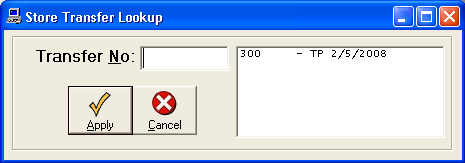
You will be prompted for a transfer number.
Either enter the transfer number or select from the lookup to the right.
The transfers will be sorted by Transfer Number and will show the
current status (TP = Pending Transfer, TR = Completed Transfer, TV = Voided Transfer).
Transfering And Voiding Items
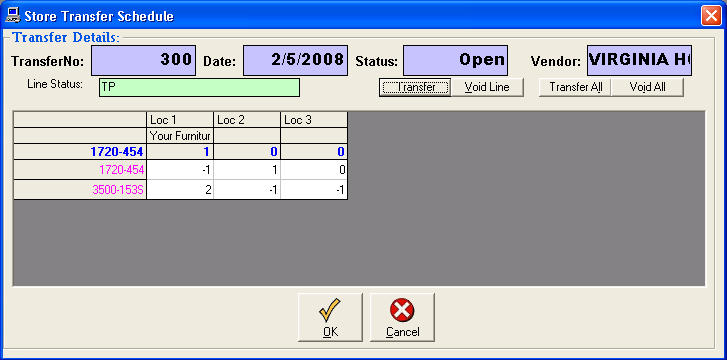
Once you have your transfer on the screen, you can either Void or
Transfer each line. Simply highlight the line you wish to finish,
and click either Void or Transfer at the top.
Transfer/Void All
To transfer or void all lines that are still pending, click either Transfer All
or Void All.
NOTE: Only once you transfer a line will the Stock quantities be changed, so be sure
to record which transfers have been completed.