Email POs
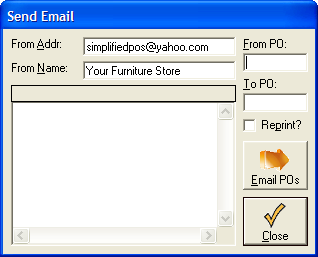
To send POs via Email, you must first set up your email system. This is done in the Email Config Panel in the
Utilities section of the File Menu.
You will also have to enter your store's return email address in the box provided.
Once this is done, simply select the PO range you wish to send, and click Email POs.